• NotionYour AI workspace
  • Notion Calendar
  • Notion Mail
  • Notion AIAI tools for work
  • AgentsAutomate busywork
  • AI Meeting NotesPerfectly written by AI
  • Enterprise SearchFind answers instantly
  • Knowledge BaseCentralize your knowledge
  • DocsSimple and powerful
  • ProjectsManage any project
  • ConnectionsConnect your apps
  • SecuritySafe and scalable
. See what’s new→
Download the Notion App→
  • AI features
  • Notion AIAI tools for work
  • AgentsAutomate busywork
  • AI Meeting NotesPerfectly written by AI
  • Enterprise SearchFind answers instantly
  • Explore use cases
  • For work
  • For life
  • Teams
  • Eng & Product
  • Design
  • Marketing
  • IT
  • Company size
  • Startups
  • Small businesses
  • Enterprise
  • Use Cases
  • Education
  • Personal
  • Professional
  • AI use cases
  • Browse
  • Templates
  • Consultants
  • Connections
  • Discover
  • What's New
  • Customer stories
  • Blog
  • Webinars
  • Learn
  • Developers
  • Academy
  • Product tours
  • Help
DevelopersEnterprisePricingRequest a demo
Get Notion freeLog in
  1. Help Center
  2. Help Docs
  1. ← Help Docs

22. Marketplace & templates

Marketplace & templates
In this Chapter

Notion's Marketplace makes it easy for users everywhere to build anything. Here, you can find templates for your use case or connect with a partner who can help you with your Notion setup.


Articles

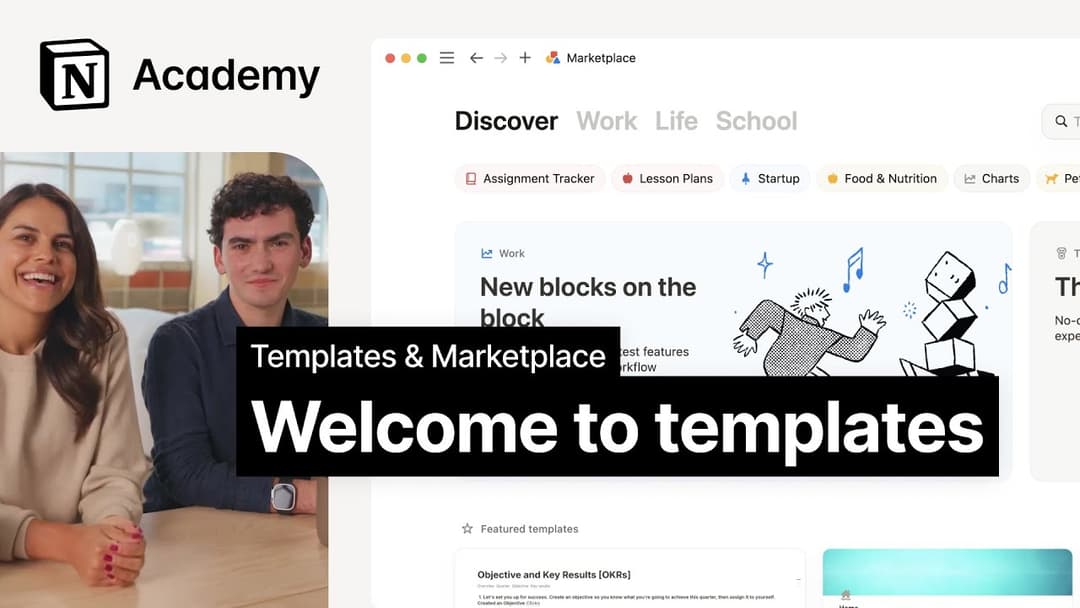
Finding templates on Marketplace

Whatever you’re looking to accomplish, there’s a template for it in Marketplace. Here’s how you can explore Marketplace, add and manage templates, and use them in your Notion workspace 👛

Selling templates on Marketplace

Learn how to sell your templates in the Notion Marketplace 🧑🏼‍🎨

2:00

Getting featured in Marketplace

We’re constantly on the lookout for truly exceptional creators and templates to highlight to the Notion community. Learn how we choose which templates are featured in Marketplace 🌟

Marketplace guidelines & terms

Read the terms and guidelines for using Marketplace 🖼️

Finding services on Marketplace

Here’s how to search for services and work with partners via Marketplace 🔍

Become a Notion Solutions Partner

Learn how to become a certified Notion partner 🤝🏼

Template localization on Marketplace

Learn how to localize your templates in the Notion Marketplace. 🌎

Offering services on Marketplace

Learn how to offer your services through Notion’s Marketplace 🛒


Still have questions?

👋

Join our community

Find any answer

💼

Hire a Certified Consultant

Find an expert for your needs

Help Center Contact Illustration
  • Help Docs
      • Intro to workspaces
      • Start here
      • What is a block?
      • Create a page
      • Create a subpage
      • What is a database?
      • Create a database
      • Start with a template
      • Share your work
      • Collaborate with people
      • Badges & certifications
      • See all
      • Navigate with the sidebar
      • Manage your Library
      • Search in your workspace
      • Home & My tasks
      • See all
      • Create, join & leave workspaces
      • Create, join & leave teamspaces
      • Workspace settings
      • Workspaces on mobile
      • Delete a workspace
      • See all
      • Account settings & preferences
      • Notification settings
      • Two-step verification
      • HIPAA configuration
      • Data access consent
      • Delete your account
      • Log in & out
      • Passkeys
      • Change your language
      • Notion Faces
      • Secondary emails
      • Manage your Mail & Calendar settings
      • See all
      • Intro to writing & editing
      • Format your page
      • Style & customize your page
      • Images, files & media
      • Links & backlinks
      • Wikis & verified pages
      • Move & duplicate content
      • Delete & restore content
      • Synced blocks
      • Code blocks
      • Math equations
      • Keyboard shortcuts
      • Use pages offline
      • Duplicate public pages
      • Archive pages
      • Presentation mode
      • See all
      • Intro to formulas
      • Intro to databases
      • Formula syntax & functions
      • Database properties
      • Relations & rollups
      • Database settings
      • Database templates
      • Sub-items & dependencies
      • Task databases & sprints
      • Data sources
      • Optimize database load times & performance
      • Unique ID
      • See all
      • Views, filters, sorts & groups
      • Table view
      • Board view
      • Timeline view
      • Calendar view
      • List view
      • Dashboards view
      • Gallery view
      • Chart view
      • Layouts
      • Feed view
      • Map view
      • Forms
      • See all
      • Sharing & permissions settings
      • Manage members & guests
      • Collaborate in a workspace
      • Inbox & notifications
      • Comments, mentions & reactions
      • Reminders
      • Suggested edits
      • Page analytics
      • Intro to teamspaces
      • People profiles
      • People Directory
      • Create & manage groups
      • Who’s who in a workspace
      • See all
      • Publish a Notion Site
      • Edit & customize your Notion Sites
      • Manage your Notion Sites
      • Connect a custom domain with Notion Sites
      • Notion Sites availability & pricing
      • See all
      • Import data into Notion
      • Export your content
      • Back up your data
      • Import from Asana
      • Import from Confluence
      • Import from Monday.com
      • See all
      • Embeds, bookmarks & link mentions
      • Add & manage connections
      • Notion API connections
      • Link previews
      • Synced databases
      • Connected properties
      • Connect GitHub
      • Integrate Slack
      • Connect Jira
      • See all
      • Buttons
      • Database buttons
      • Database automations
      • Webhook actions
      • See all
      • What is Notion AI?
      • Notion Agent
      • Notion AI for databases
      • AI Meeting Notes (beta)
      • Enterprise Search
      • Notion MCP
      • Research Mode
      • Review & approve plans before Notion AI runs
      • Instructions for Notion Agent
      • Skills for Notion Agent
      • Create & edit images with Notion AI
      • See all
      • Notion AI Connectors
      • GitHub AI Connector
      • Google Drive AI Connector
      • Jira AI Connector (beta)
      • Linear AI Connector
      • Microsoft Teams AI Connector
      • Microsoft SharePoint & OneDrive AI Connector
      • Slack AI Connector
      • Google Calendar AI Connector
      • Gmail AI Connector
      • Salesforce AI Connector (beta)
      • Microsoft Outlook AI Connector
      • Notion Calendar AI Connector (beta)
      • Notion Mail AI Connector (beta)
      • Asana AI Connector
      • Box AI Connector
      • See all
      • Custom Agents
      • Best practices for creating and optimizing a Custom Agent
      • Buy & track Notion credits for Custom Agents
      • MCP connections for Custom Agents
      • Connect Mail to Custom Agents
      • Connect Calendar to Custom Agents
      • Custom Agents sharing and permissions
      • Mobile Custom Agents
      • See all
      • SAML SSO
      • Set up Identity Provider (IdP) for SAML SSO
      • Manage your Enterprise workspace
      • Domain management
      • Provision users & groups with SCIM
      • Set up Identity Provider (IdP) for SCIM
      • Content search
      • Transfer content from a deprovisioned user
      • Audit log
      • Workspace analytics
      • Add security & compliance connections
      • Managed users
      • Enterprise connection settings
      • Custom data retention settings
      • Deploy Notion for macOS
      • Deploy Notion for Windows
      • Manage teamspaces
      • Network control
      • IP address restrictions
      • Set up Microsoft Intune with Notion (iOS and Android)
      • Legal holds
      • Organization level controls
      • See all
      • Security practices
      • Privacy practices
      • GDPR at Notion
      • Custom Agents security features
      • Security best practices for Agent connections
      • Notion IP addresses & domains
      • Data accessible by your workspace owner
      • Report inappropriate content
      • Data residency for Notion
      • Shared Responsibilities Model
      • How to protect yourself from malvertising
      • How Notion 3.0 protects against prompt injection risks
      • Dormant account policy
      • See all
      • Notion AI security & privacy practices
      • Notion’s commitment to AI safety
      • Enterprise Search security & privacy practices
      • Notion AI complimentary responses
      • See all
      • Notion for desktop
      • Notion for web
      • Notion for mobile
      • System requirements for Notion
      • Notion beta program
      • Mobile widgets
      • Web Clipper
      • Notion New Tab extension
      • See all
      • Get started with Notion Mail
      • Navigate your inbox
      • Compose an email
      • Views, groups, filters & properties
      • Schedule meetings with Notion Mail
      • Use Notion AI with Notion Mail
      • Notion Mail settings
      • Notion Mail keyboard shortcuts
      • Customize notifications in Notion Mail
      • Notion Mail security practices
      • Notion Mail for mobile
      • See all
      • Create a Notion Calendar account
      • Manage your calendars & events
      • Scheduling & availability
      • Blocking
      • Time zones
      • Manage your linked Notion account
      • Notion Calendar settings
      • Notion Calendar connections & API
      • Use Notion Calendar with Notion
      • Notion Calendar for teams
      • Notion Calendar keyboard shortcuts
      • Notion Calendar apps
      • Notion Calendar security practices
      • See all
      • Finding templates on Marketplace
      • Selling templates on Marketplace
      • Getting featured in Marketplace
      • Marketplace guidelines & terms
      • Become a Notion Solutions Partner
      • Offering services on Marketplace
      • Finding services on Marketplace
      • Template localization on Marketplace
      • See all
      • Change your plan
      • Billing
      • How adding & removing members impacts billing
      • Invoices
      • Payment methods
      • Refunds
      • Notion for education
      • Notion for startups
      • Notion for creators
      • Paid plan trials
      • Understanding block usage
      • What happens when I downgrade my plan?
      • Sales tax
      • Can’t upgrade to the Plus Plan for students and educators
      • See all
      • Reset Notion
      • I can't log in
      • I can’t access Notion
      • Common formula errors
      • I can't access my own page
      • I can’t upload or view a file
      • Common Notion errors
      • Record HAR files for troubleshooting
      • Can’t log into Notion Mail
      • Common Jira Sync issues
      • See all
      • What is the Notion Developer Platform?
      • Run custom code with Workers (beta)
      • Use Notion from your terminal with Notion CLI
      • Understand pricing for Workers (beta)
      • See all
  • Guides
      • Notion AI
      • Documentation
      • Notes
      • Project management
      • Wiki
      • Product
      • Engineering
      • Design
      • HR & people
      • Marketing
      • Personal
      • Enterprise
      • Startup
      • Demo
      • Template gallery
      • Automations
  • Grow with Notion

  • Notion Academy
  • API

  • Create integrations
  • Support

  • Join our community
  • Find a consultant

    © 2026 Notion Labs, Inc.
    • Company
    • About us
    • Careers
    • Security
    • Status
    • Terms & privacy
    • Your privacy rights
    • Download
    • iOS & Android
    • Mac & Windows
    • Mail
    • Calendar
    • Web Clipper
    • Resources
    • Help center
    • Pricing
    • Blog
    • Community
    • Connections
    • Templates
    • Partner programs
    • Notion for
    • Enterprise
    • Small business
    • Personal
    • Explore more→